The Court Screen is the first thing players see of your video and tracking technology. How to find the right setup for your facility is covered under Setup & Investment.
Key takeaways
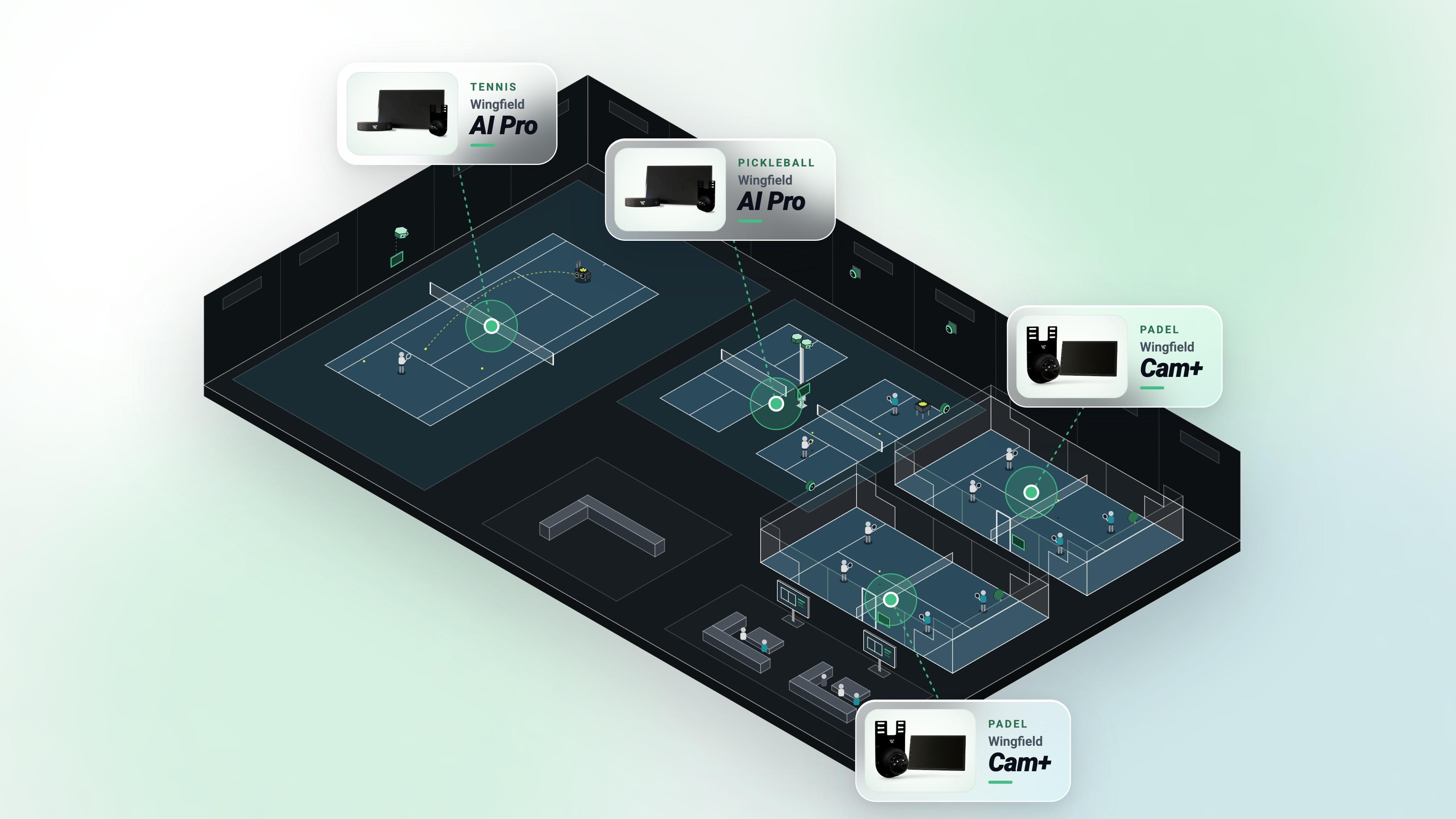
- All Wingfield camera solutions come with a Court Screen: Wingfield Cam+ for video and highlights, Wingfield AI Pro for video and tracking.
- The screen is the central control at the court and shows at the same time what this court can do. Its simple, intuitive interface makes it clear right away which features players can use.
- Players always know whether they are being recorded, and they start their session themselves. That eases any skepticism.
- For the club, a court with a screen is a visible premium asset that justifies a higher price and opens up new sponsorship space.
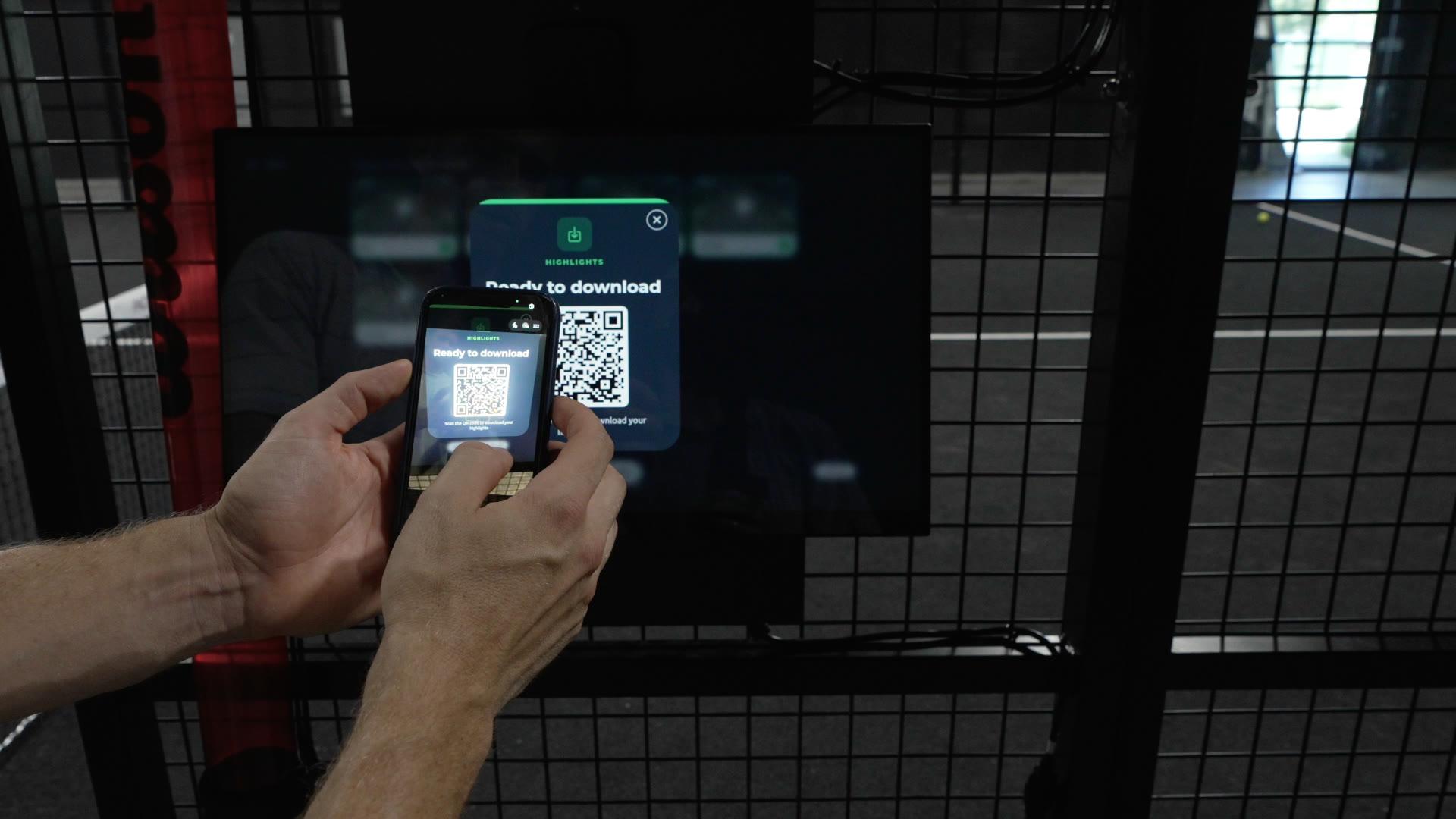
- Players who sign in with their Wingfield account via PIN at the screen get the full video safely synced to their account. Players who don’t sign in download the highlights they tagged at the screen after the session with a dynamic QR code. Nobody outside the court can get to the recordings, which keeps everything privacy-compliant.
What is the Court Screen?
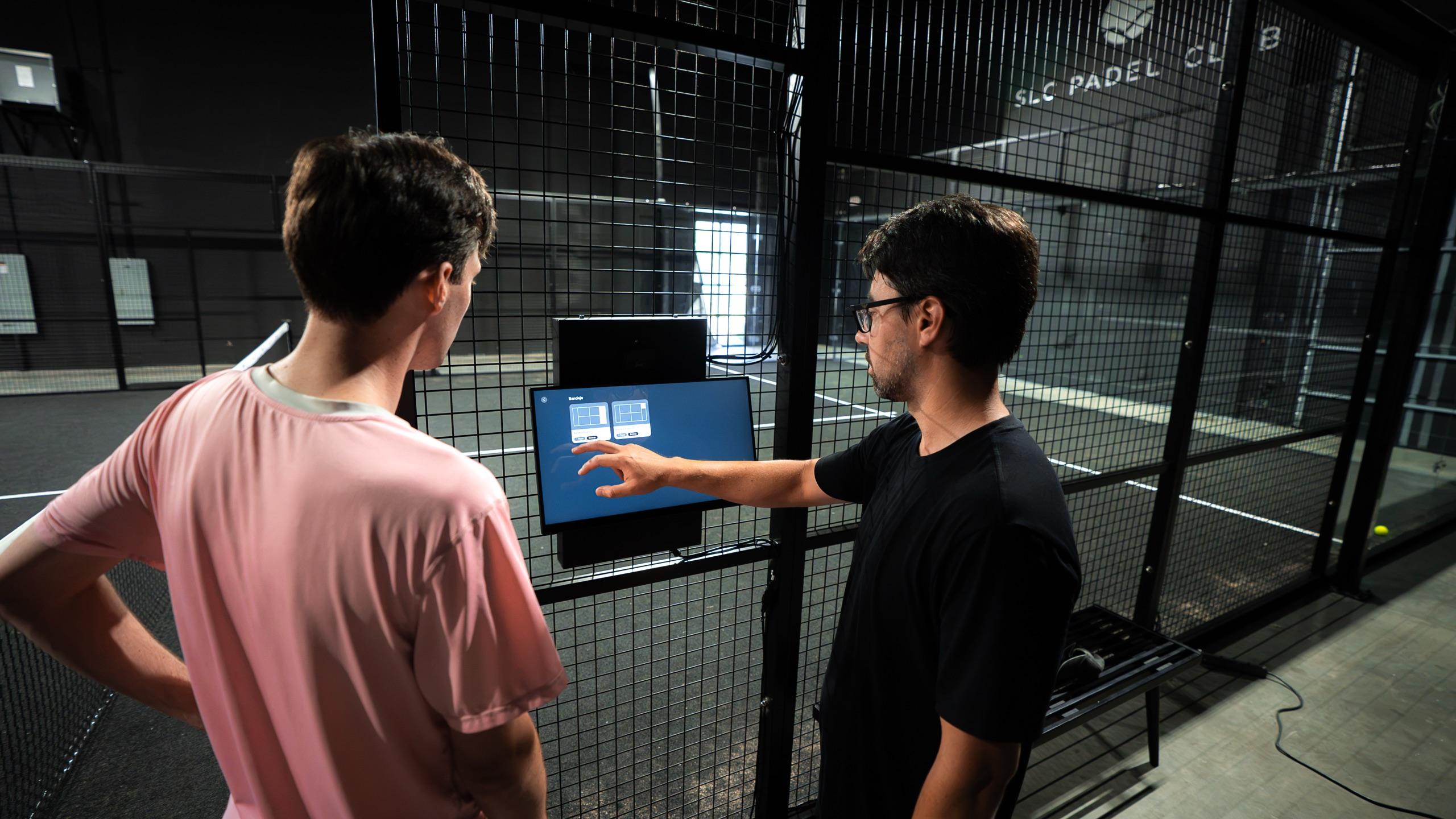
The Court Screen is the touch interface of Wingfield’s camera systems. Players use it to control the video and tracking technology right at the court.
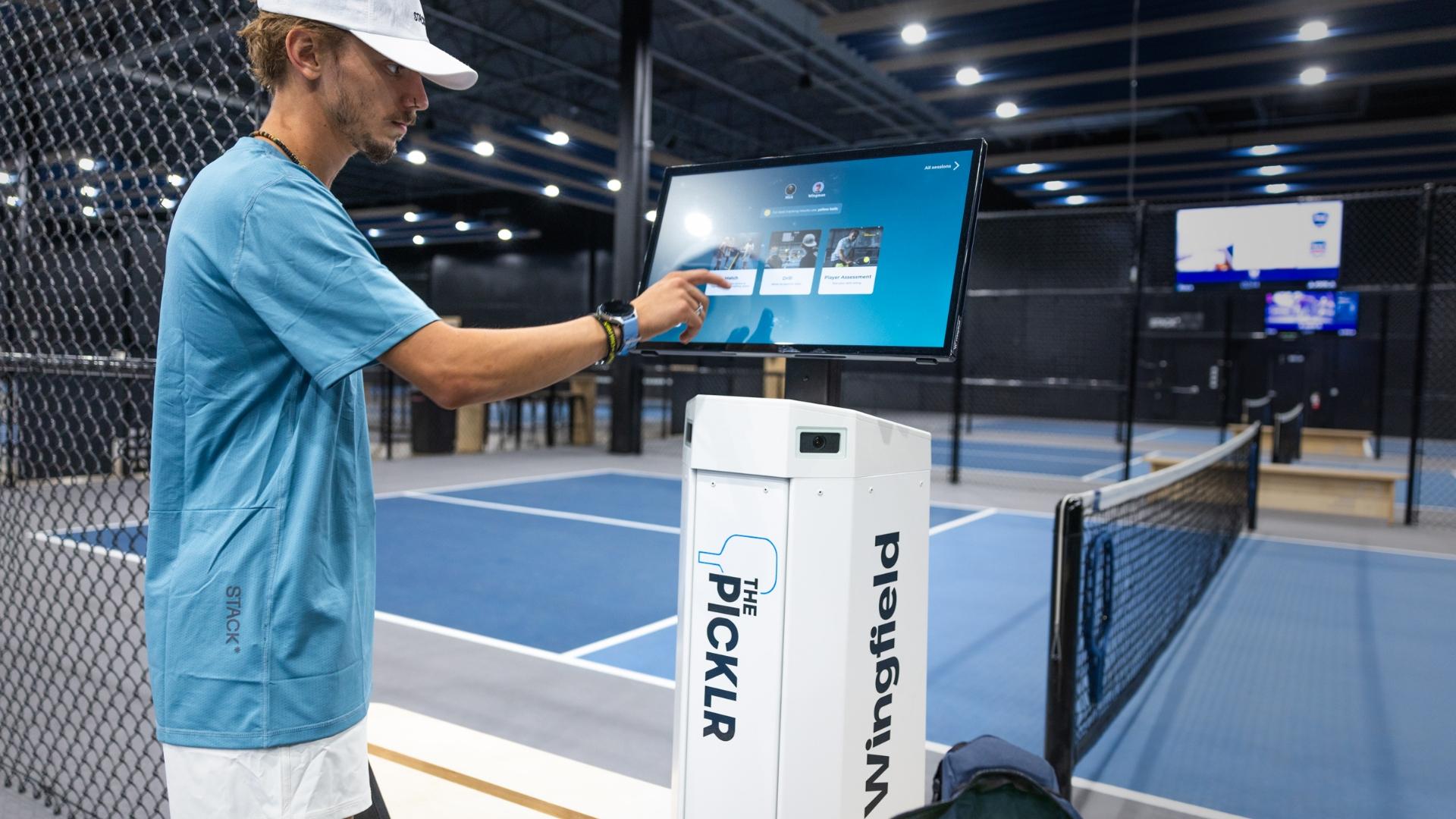
With Wingfield Cam+, they start their recording, save their best rallies as highlights and watch close calls on instant replay. Wingfield AI Pro goes further: the 24-inch touchscreen offers interactive game modes. After the match, players get revealing head-to-head stats and heatmaps. In training, they choose from a range of drill programs and get instant feedback on the screen after every round.
Six reasons for a screen at the court
- A premium asset for your court: The screen shows at first glance that this court can do more. If you want, that justifies a higher price per hour. Either way, you gain new space your sponsors can brand.
- Use it and understand it right at the court: The screen is control panel and information board in one. It shows at a glance what this court can do. Start a session, pick a mode, watch a replay: everything takes one tap, and nobody has to hunt for features in an app.
- No break in the game: Every switch to a phone pulls players out of the moment: phone out of the bag, open the app, find the session, and the match has gone cold. At the Court Screen, everything keeps flowing. A replay challenge after a close call, a highlight after the best point, a drill challenge to finish the lesson: the features are there exactly when they matter, without anyone switching devices.
- Privacy by design: With a Wingfield account, players sign in via PIN at the screen, and video and data land safely in their account. Without signing in, they get their tagged highlights through a QR code the screen generates fresh after every session. Unlike a static code, nobody outside the court can get to the recordings.
- The screen invites players in: A glowing screen at the court entrance sparks curiosity. Players stop, try it out and come back. A camera under the roof, on the other hand, goes almost unnoticed.
- Clarity instead of skepticism: With a camera and no screen, players wonder: Is it recording right now? Who can see this? The Court Screen answers that. Players see when they are being recorded, and they start the session themselves. They decide, not the technology.
Do players really use the screen?
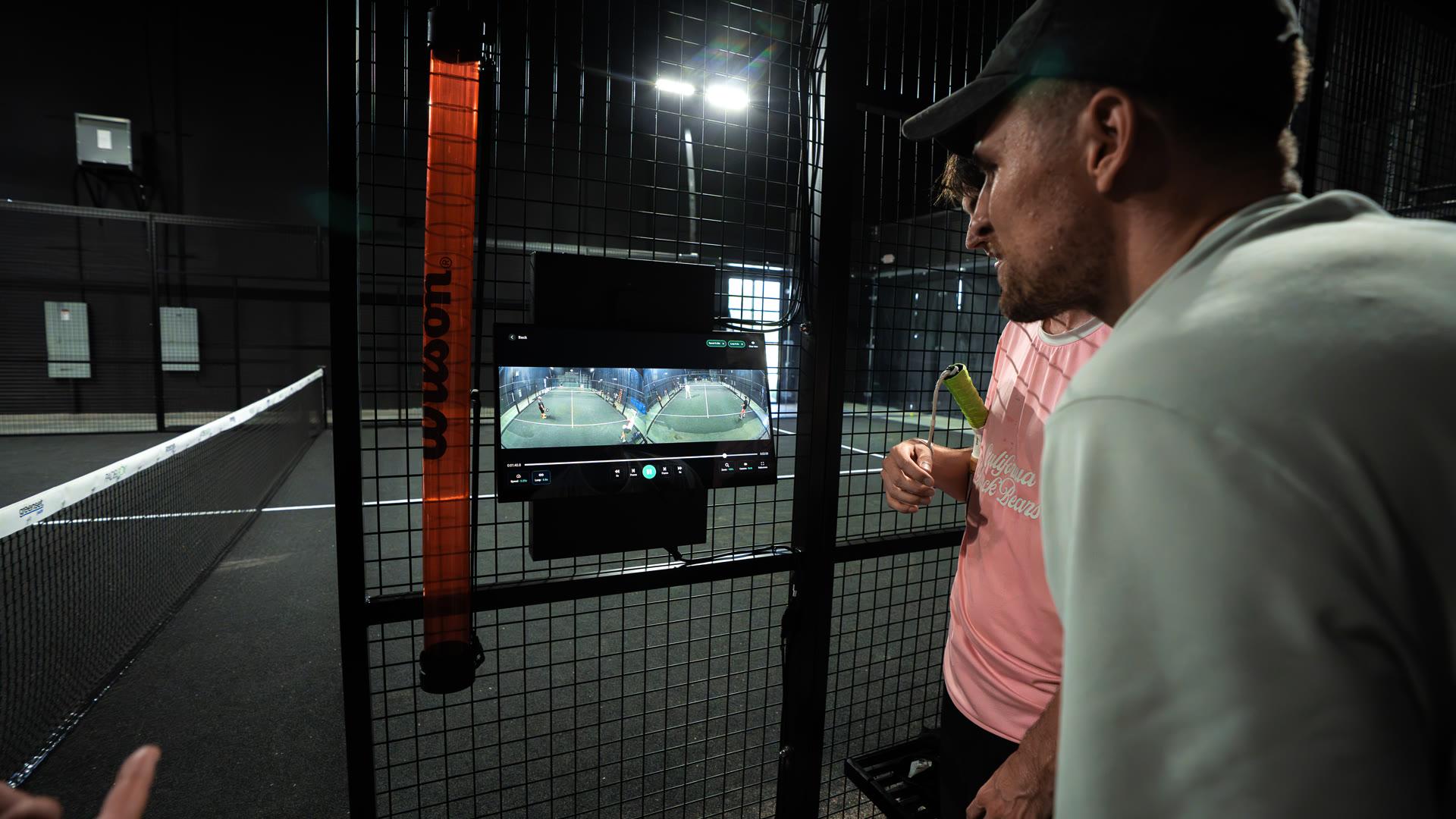
Yes, and often more than clubs expect. Wherever there is a screen at the court, people gather around it: players watch the last point together, show each other their best rally or try out a drill. The screen is what turns technology at the court into a shared experience.

If someone ever says people wouldn’t use the screen send them this picture.
What does your club gain?
A court with a screen is visibly worth more, to players and to partners. Three things follow from that:
- Higher prices: For courts with video and tracking technology, you can add a surcharge per booked hour. The screen makes the added value tangible with every booking.
- New sponsorship space: The Court Screen’s home screen and the highlight clips carry your court sponsor’s logo.
- Prestige courts: On the center court or the panoramic court, the screen shows everyone passing by what your facility stands for.
How does the screen protect privacy?
Normally, players sign in to the Court Screen with their Wingfield account via PIN code. Then everything runs automatically: the full video, and with Wingfield AI Pro also the stats, is synced safely to their account after the session without any extra step.
Players who don’t sign in can still join in without any hurdles. The highlights tagged at the screen can be downloaded after the session with a dynamic QR code. Only someone standing at the court right now can get to their own clips. A static code that hangs somewhere or gets shared carries the risk that sessions can be started from anywhere.
With or without an account: players can always see on the screen whether they are being recorded.

How do you introduce players to your Wingfield Courts?
Use your coaches and staff as multipliers: the Court Screen explains a lot by itself, but the first step is easier when someone shows what the court can do.
- Train your front desk and coaches before launch. They know the features and answer the first questions.
- Build the technology into every lesson: coaches show at least one replay or drill per session.
- Host a launch event with open play to show the features in action.
- Make a short introduction a fixed part of your member onboarding, so every new member knows the offering from day one.
- Start a challenge, for example “Highlight of the Month”, so players save their best rallies.
Do all Wingfield camera solutions have a Court Screen?
Yes. Wingfield Cam+ and Wingfield AI Pro both have a screen at the court. Wingfield AI Pro adds tracking features such as stats and drills.
Does the camera record without players knowing?
Players can see on the Court Screen whether a session is running, and they start it themselves.
Do players need an app?
No. Starting a session, watching replays and saving highlights all happen right at the screen. Players who sign in with their Wingfield account via PIN at the screen find the full video in the app afterwards. Without signing in, players download their tagged highlights to their phone with a QR code.
Does the screen work outdoors too?
Yes. There are dedicated outdoor versions of the Court Screen.